Key takeaways
- Starlink's own averages, router included: Mini 20–40 W Official spec: From a Starlink specification sheet or help article. Checked Nov 16, 2026, Standard 75–100 W Official spec: From a Starlink specification sheet or help article. Checked Nov 16, 2026. At the top of each range the Standard takes about 2.6× the battery energy per day.
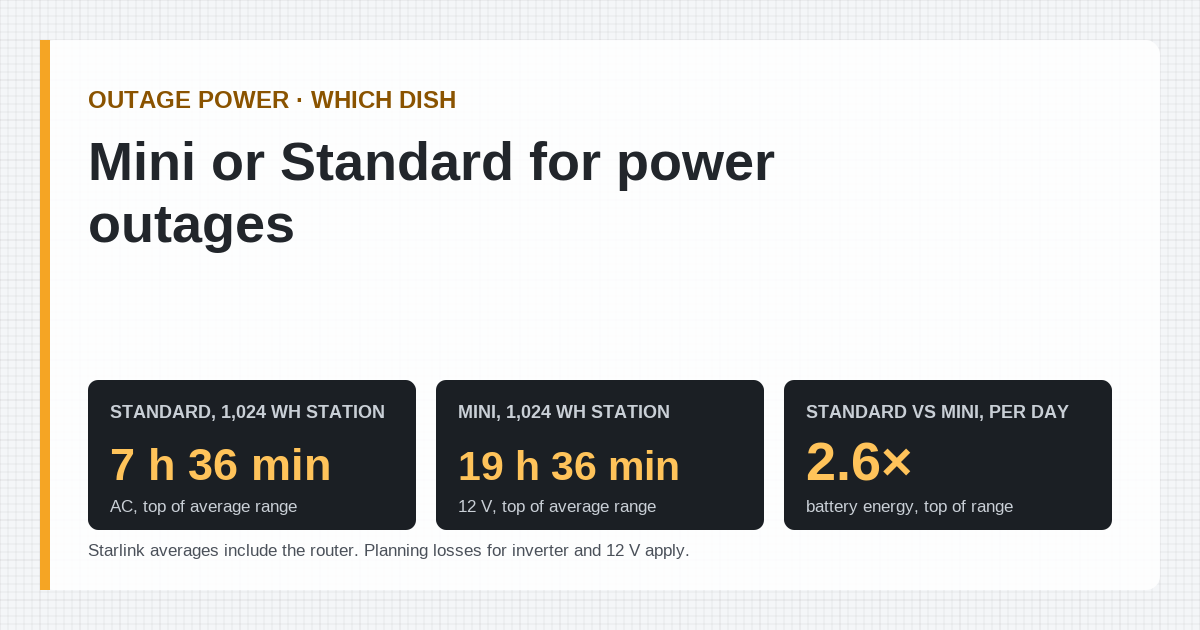
- On a 1,024 Wh power station: a Standard runs about 7 h 36 min through the AC outlet; a Mini about 19 h 36 min from the 12 V port. Neither has a built-in battery.
- The Mini runs straight from 12–48 V DC or a 100 W USB-C port; the Standard needs an inverter or Starlink's DC-DC supply, which is sold only in select markets.
- On starlink.com the Mini kit is $149 Official spec: From a Starlink specification sheet or help article. Checked Nov 16, 2026 and the Standard kit $349 Official spec: From a Starlink specification sheet or help article. Checked Nov 16, 2026. The Mini runs on Roam plans; Starlink says Residential isn't supported for it in most countries.
- Pick the Mini if outage backup or travel is the main reason. Pick the Standard if it's your everyday home internet, and size a bigger battery for it.
If keeping the internet up through a blackout is a big part of why you’re buying Starlink, the Mini is far easier to power. Starlink lists it at 20–40 W Official spec: From a Starlink specification sheet or help article. Checked Nov 16, 2026 on average, router included, against 75–100 W Official spec: From a Starlink specification sheet or help article. Checked Nov 16, 2026 for the Standard. On the same 1,024 Wh power station, a Standard runs about 7 h 36 min and a Mini about 19 h 36 min. The Standard is still the better everyday home dish, so the honest answer depends on whether outages are the main job or a side job.
Neither dish has a built-in battery. Without a battery, power station or generator, both go dark with your lights.
The power numbers side by side
All Starlink figures below are Starlink’s own averages, which include the router, power supply and cables. Battery-side figures add our planning losses: 87% efficiency through an inverter, 90% on 12 V Planning assumption: Our stated assumption, used until bench results replace it.
| Starlink Mini | Standard | |
|---|---|---|
| Average draw (Starlink) | 20–40 W Official spec: From a Starlink specification sheet or help article. Checked Nov 16, 2026 | 75–100 W Official spec: From a Starlink specification sheet or help article. Checked Nov 16, 2026 |
| Idle (Starlink) | 15 W Official spec: From a Starlink specification sheet or help article. Checked Nov 16, 2026 | 20 W Official spec: From a Starlink specification sheet or help article. Checked Nov 16, 2026 |
| One day left on, from a battery (top of range) | 1,067 Wh | 2,759 Wh |
| 1,024 Wh power station (top of range) | 19 h 36 min on 12 V | 7 h 36 min on AC |
| 512 Wh power station (top of range) | 9 h 48 min on 12 V | 3 h 48 min on AC |
| Runs straight from DC? | Yes: 12 V–48 V DC, or 100 W USB-C PD | Only with Starlink’s DC-DC supply (select markets) |
| Kit on starlink.com | $149 Official spec: From a Starlink specification sheet or help article. Checked Nov 16, 2026 | $349 Official spec: From a Starlink specification sheet or help article. Checked Nov 16, 2026 |
At the top of each range, a Standard takes about 2.6× the battery energy per day. That ratio is the whole story for outage planning: every hour of backup costs more than twice the stored energy on a Standard.
Why the Mini is easier on a battery
Three things add up.
- Lower draw. 20–40 W Official spec: From a Starlink specification sheet or help article. Checked Nov 16, 2026 against 75–100 W Official spec: From a Starlink specification sheet or help article. Checked Nov 16, 2026, both with the router counted.
- No inverter needed. The Mini accepts 12 V–48 V DC, so it can run from a power station’s 12 V port or a LiFePO4 battery with the right cable. The Standard runs from the AC outlet through the station’s inverter, which wastes some energy and adds its own idle draw. Starlink sells a Standard DC-DC Power Supply (select markets) to run Standard 4 / 4 X from a DC source without an inverter; it uses XT60 connectors and 12 AWG wire.
- USB-C option. With Starlink’s USB-C cable, a single 100 W USB-C PD port can run the Mini. Starlink says the Mini will not run on a USB PD supply rated below 100 W, including 65 W supplies and anything from 66 W to 99 W. Our USB-C guide lists what to check on the label.
Why you might still want the Standard
The Standard is built to be a home’s main connection: a larger dish and a separate router with wider Wi-Fi coverage than the Mini’s built-in Wi-Fi (1,200 sqft Official spec: From a Starlink specification sheet or help article. Checked Nov 16, 2026). If you’re buying Starlink as your everyday home internet, with outages a few times a year, the Standard on a Residential plan is the usual pick. You then size the battery for it:
- Flickers and short outages: a UPS or a 512 Wh station (3 h 48 min at the top of the range).
- An evening to a night: a 1,024 Wh station (7 h 36 min).
- Multi-day: a large station plus a generator or solar. Our multi-day outage plan does the math.
Residential prices on starlink.com depend on your address, so check yours there before you compare.
Which to buy if outages are the reason
Mostly for outages and trips, with good cellular or cable the rest of the time: the Mini. Its battery needs are small enough that a mid-size power station covers a long evening, and the same kit goes camping or in the car. It runs on a Roam plan; Starlink's 'Where is Starlink Mini available?' article says the Mini works only with Roam, Local Priority and Global Priority plans in most countries, and Residential is not supported except in limited regions.
Your main home internet, in an area with frequent outages: the Standard, with a battery sized for it. Run the calculator for your hours before you buy the battery.
Already a Starlink Residential customer: you can’t use a new-customer referral, and you may not need a second dish. Put your existing dish on a UPS or power station first. Some Residential customers also see a Mini offer in their account: Eligible Residential customers in select countries can claim a Mini Kit (no-cost rental) at a discounted Roam rate on Roam 100GB, Roam 300GB (US and Canada) or Roam Unlimited.
What we don’t know
- How much a Standard draws while asleep or during snow melt; Starlink doesn’t publish it. Our outage figures assume it’s left on.
- Which Residential price your address gets. Starlink sets it by address at checkout.
- Whether your local cell network stays up in a long outage. That decides whether you need Starlink as backup at all; FCC outage reports after big storms are worth a look for your area.
What to do next
Put your hours and battery into the calculator, and read the outage power options for UPS, station and generator trade-offs. Not ordered yet? Starlink shows the kits, plans and availability for your address on starlink.com; the box below links there.
Questions people ask
Is a Starlink Mini or Standard better for power outages?
For keeping it powered, the Mini: Starlink lists it at 20–40 W on average against 75–100 W for the Standard, both including the router. The same battery runs a Mini roughly two to three times longer. The Standard is the stronger everyday home dish.
How long will a power station run Starlink in an outage?
On a 1,024 Wh station, at the top of each dish's average range: a Standard about 7 h 36 min through the AC outlet and a Mini about 19 h 36 min from 12 V. Idle hours and a sleep schedule stretch both.
Does the Starlink Mini have a battery for outages?
No. Today's Mini has no built-in battery; it runs from its wall supply, 12–48 V DC or a 100 W USB-C PD source. The newly announced Mini 2 has a swappable battery, but US preorders are invitation-only.
Can I use a Starlink Mini on a Residential plan as home backup?
In most countries, no: Starlink's 'Where is Starlink Mini available?' article says the Mini works only with Roam, Local Priority and Global Priority plans in most countries, and Residential is not supported except in limited regions. In the US the Mini runs on Roam plans. Some Residential customers get a separate Mini offer in their account.
Will Starlink work if the whole grid goes down?
Your dish keeps working as long as you power it; the satellites don't run on your local grid. See our grid-down guide for what's known about Starlink's ground stations in a wide blackout.
Sources
- How much power does my Starlink need? (Starlink Help Center) · retrieved
- Starlink Mini Specifications (PDF) · retrieved
- Does Starlink offer DC-input power supply options? (Starlink Help Center) · retrieved
- Where is Starlink Mini available? (Starlink Help Center) · retrieved
- Starlink public marketing availability API (US, Roam and kits) · retrieved
- Power Outages (Ready.gov) · retrieved
Starlink figures render from our watts table and fact file with the date we checked them. Runtime and solar math uses the planning assumptions on how we get our numbers until bench results replace them.
Independent · not affiliated with SpaceX or Starlink. We don’t sell Starlink. Links to Starlink’s plan pages here use the site owner’s own referral link (Starlink may give the owner a referral reward; your price is the same); nothing else in this article earns us anything. We haven’t used a Starlink Mini ourselves: Mini figures come from Starlink’s published specs or dated owner reports, labeled that way. General information, not electrical advice. How we make money · Report an error